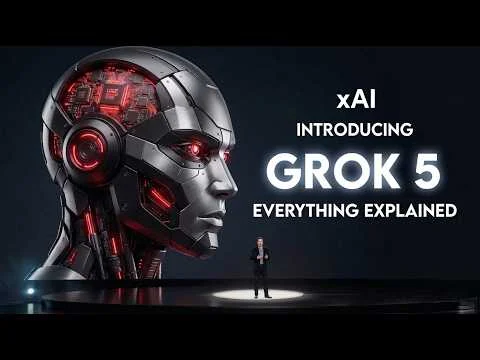
Grok 4.2 Is Here February Release – Timeline & Insane New Capabilities
February 6, 2026
7 FREE Google AI Tools: The Ultimate Stack DESTROYS ChatGPT
February 7, 2026
Link to our newsletter: https://bitbiased.ai/
Most people use ChatGPT completely wrong. In this video, I reveal ChatGPT’s hidden Plus button tools that can cut your workflow time in half—plus how they compare to Grok 5.2 explained clearly.
From image generation and Deep Research to Canvas, Shopping Research, Study Mode, Web Search, and app integrations—this is the complete ChatGPT tools guide for 2026.
You’ll learn:
How to generate images inside ChatGPT (no design skills)
How Deep Research works and when to use it
How Canvas turns ChatGPT into a live editor
How Shopping Research beats Google reviews
How Study & Learn mode works like a personal tutor
How Web Search gives real-time answers
How ChatGPT compares with Grok 5.2 explained for real use cases
Whether you’re a student, professional, creator, or AI enthusiast, these tools can save you hours every week.
📌 Chapters
00:00 – Hidden ChatGPT Tools That Save Hours (Most People Miss These)
01:12 – Create Images in ChatGPT (AI Image Generation Explained)
02:31 – Deep Research in ChatGPT (Cited Reports & Sources)
04:18 – Shopping Research Tool (AI Buying Assistant)
06:15 – Canvas Mode (Writing & Coding Side-by-Side)
08:00 – Upload Photos & Files to ChatGPT (PDFs, Images, Excel)
09:58 – Study & Learn Mode (ChatGPT as a Personal Tutor)
11:35 – Write or Edit Anything (Emails, Blogs, Cover Letters)
13:12 – Step-by-Step Help for Any Task (AI Walkthroughs)
14:54 – Web Search Tool (Real-Time Information & News)
16:27 – Explore Apps & Integrations (Extend ChatGPT + Grok 5.2)
📌 Beginner to advanced friendly
📌 Real-world examples, no fluff
If you’re curious how ChatGPT stacks up against xAI’s Grok 5.2 and where each tool actually shines, this video breaks it down clearly.
👍 Like & Subscribe for weekly AI breakdowns
💬 Comment which ChatGPT tool surprised you the most